Three.js Graficos 3D: Guia Completo de Desenvolvimento WebGL (2026)
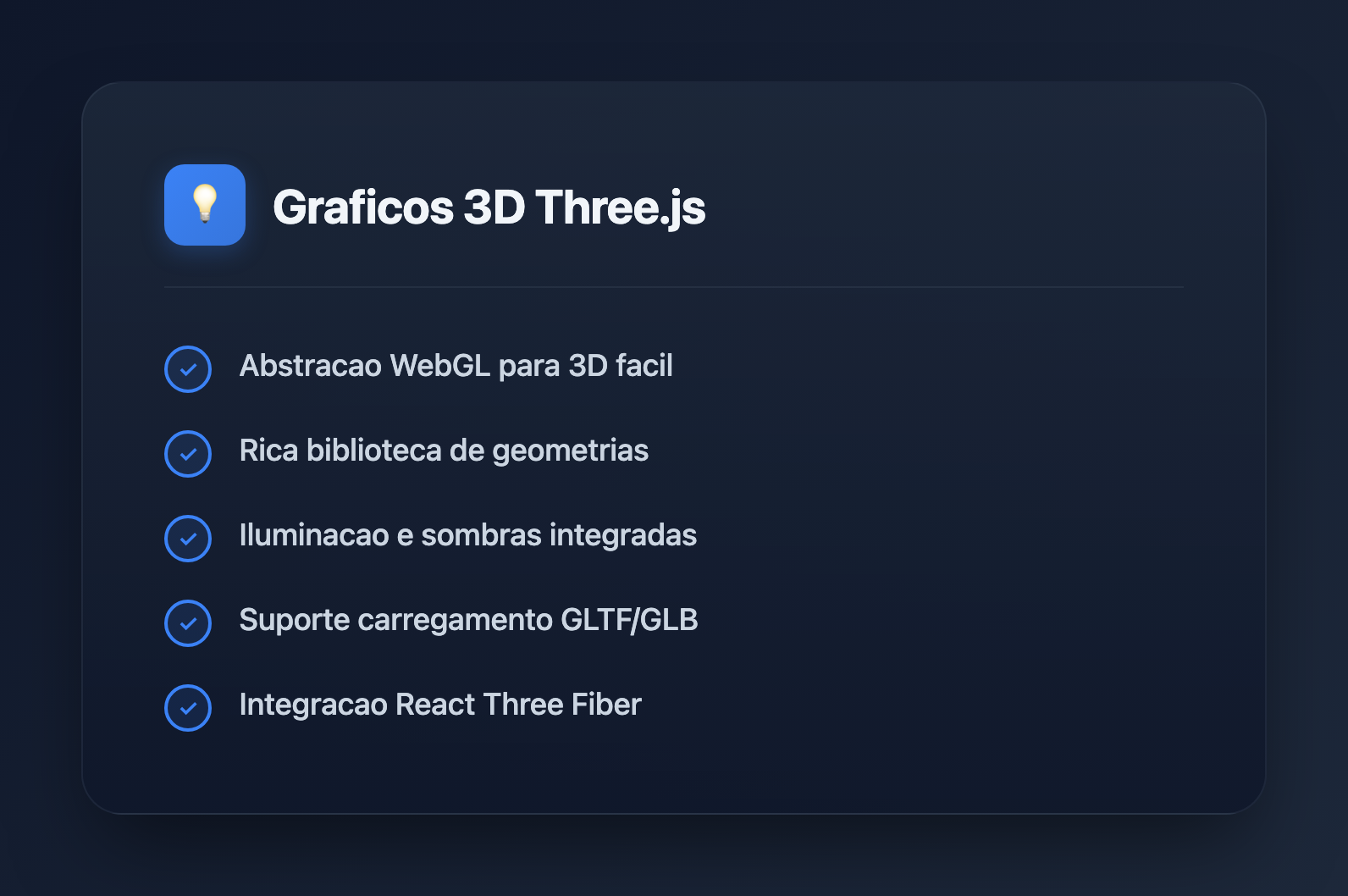
Three.js e a biblioteca JavaScript mais popular para criar graficos 3D no navegador. Seja construindo configuradores de produtos, visualizacoes de dados ou experiencias imersivas, Three.js fornece as ferramentas para dar vida as suas ideias. Este guia abrange desde a configuracao basica ate tecnicas avancadas.
O que e Three.js?
Three.js e uma biblioteca JavaScript que abstrai a complexidade do WebGL, tornando graficos 3D acessiveis para desenvolvedores web. Recursos principais:
- Abstracao do WebGL: Escreva codigo de alto nivel em vez de shaders brutos
- Ecossistema rico: Loaders, controles, efeitos de pos-processamento
- Multiplataforma: Funciona em desktop, dispositivos moveis e VR
- Comunidade ativa: Exemplos extensos e documentacao
- Performance: Renderizacao acelerada por GPU
Primeiros Passos
Instalacao
# npm
npm install three

# yarn
yarn add three

# Or use CDN
# https://unpkg.com/three@latest/build/three.module.js
Configuracao Basica da Cena
import * as THREE from 'three';

// Create scene
const scene = new THREE.Scene();
scene.background = new THREE.Color(0x1a1a2e);

// Create camera
const camera = new THREE.PerspectiveCamera(
  75,                                    // Field of view
  window.innerWidth / window.innerHeight, // Aspect ratio
  0.1,                                   // Near clipping plane
  1000                                   // Far clipping plane
);
camera.position.z = 5;

// Create renderer
const renderer = new THREE.WebGLRenderer({ antialias: true });
renderer.setSize(window.innerWidth, window.innerHeight);
renderer.setPixelRatio(Math.min(window.devicePixelRatio, 2));
document.body.appendChild(renderer.domElement);

// Animation loop
function animate() {
  requestAnimationFrame(animate);
  renderer.render(scene, camera);
}

animate();
Tratamento de Redimensionamento da Janela
window.addEventListener('resize', () => {
  // Update camera
  camera.aspect = window.innerWidth / window.innerHeight;
  camera.updateProjectionMatrix();

  // Update renderer
  renderer.setSize(window.innerWidth, window.innerHeight);
  renderer.setPixelRatio(Math.min(window.devicePixelRatio, 2));
});
Conceitos Fundamentais
Geometrias
// Built-in geometries
const boxGeometry = new THREE.BoxGeometry(1, 1, 1);
const sphereGeometry = new THREE.SphereGeometry(0.5, 32, 32);
const planeGeometry = new THREE.PlaneGeometry(10, 10);
const cylinderGeometry = new THREE.CylinderGeometry(0.5, 0.5, 1, 32);
const torusGeometry = new THREE.TorusGeometry(0.5, 0.2, 16, 100);

// Custom geometry from vertices
const customGeometry = new THREE.BufferGeometry();
const vertices = new Float32Array([
  -1, -1, 0,
   1, -1, 0,
   0,  1, 0,
]);
customGeometry.setAttribute('position', new THREE.BufferAttribute(vertices, 3));
Materiais
// Basic material (no lighting)
const basicMaterial = new THREE.MeshBasicMaterial({
  color: 0xff0000,
  wireframe: false,
});

// Standard material (PBR - responds to light)
const standardMaterial = new THREE.MeshStandardMaterial({
  color: 0x00ff00,
  metalness: 0.5,
  roughness: 0.5,
});

// Physical material (advanced PBR)
const physicalMaterial = new THREE.MeshPhysicalMaterial({
  color: 0x0000ff,
  metalness: 0.0,
  roughness: 0.1,
  transmission: 0.9,  // Glass-like transparency
  thickness: 0.5,
});

// Shader material (custom shaders)
const shaderMaterial = new THREE.ShaderMaterial({
  vertexShader: `
    varying vec2 vUv;
    void main() {
      vUv = uv;
      gl_Position = projectionMatrix * modelViewMatrix * vec4(position, 1.0);
    }
  `,
  fragmentShader: `
    varying vec2 vUv;
    void main() {
      gl_FragColor = vec4(vUv, 1.0, 1.0);
    }
  `,
});
Meshes
// Create mesh (geometry + material)
const cube = new THREE.Mesh(boxGeometry, standardMaterial);

// Position, rotation, scale
cube.position.set(0, 0, 0);
cube.rotation.set(0, Math.PI / 4, 0);
cube.scale.set(1, 1, 1);

// Add to scene
scene.add(cube);

// Animation
function animate() {
  requestAnimationFrame(animate);

  cube.rotation.x += 0.01;
  cube.rotation.y += 0.01;

  renderer.render(scene, camera);
}
Iluminacao
// Ambient light (uniform illumination)
const ambientLight = new THREE.AmbientLight(0xffffff, 0.5);
scene.add(ambientLight);

// Directional light (sun-like)
const directionalLight = new THREE.DirectionalLight(0xffffff, 1);
directionalLight.position.set(5, 5, 5);
directionalLight.castShadow = true;
scene.add(directionalLight);

// Point light (bulb-like)
const pointLight = new THREE.PointLight(0xff0000, 1, 100);
pointLight.position.set(0, 2, 0);
scene.add(pointLight);

// Spot light (flashlight-like)
const spotLight = new THREE.SpotLight(0x00ff00, 1);
spotLight.position.set(0, 5, 0);
spotLight.angle = Math.PI / 6;
spotLight.penumbra = 0.5;
scene.add(spotLight);

// Hemisphere light (sky/ground)
const hemisphereLight = new THREE.HemisphereLight(0x87ceeb, 0x362312, 0.5);
scene.add(hemisphereLight);
Sombras
// Enable shadows on renderer
renderer.shadowMap.enabled = true;
renderer.shadowMap.type = THREE.PCFSoftShadowMap;

// Light casts shadows
directionalLight.castShadow = true;
directionalLight.shadow.mapSize.width = 2048;
directionalLight.shadow.mapSize.height = 2048;
directionalLight.shadow.camera.near = 0.5;
directionalLight.shadow.camera.far = 50;

// Mesh casts and receives shadows
cube.castShadow = true;
cube.receiveShadow = true;

// Floor receives shadows
const floor = new THREE.Mesh(
  new THREE.PlaneGeometry(20, 20),
  new THREE.MeshStandardMaterial({ color: 0x808080 })
);
floor.rotation.x = -Math.PI / 2;
floor.receiveShadow = true;
scene.add(floor);
Controles de Camera
import { OrbitControls } from 'three/addons/controls/OrbitControls.js';

const controls = new OrbitControls(camera, renderer.domElement);
controls.enableDamping = true;
controls.dampingFactor = 0.05;
controls.minDistance = 2;
controls.maxDistance = 20;
controls.maxPolarAngle = Math.PI / 2; // Prevent going below floor

// Update in animation loop
function animate() {
  requestAnimationFrame(animate);
  controls.update();
  renderer.render(scene, camera);
}
Carregando Modelos 3D
GLTF/GLB Loader
import { GLTFLoader } from 'three/addons/loaders/GLTFLoader.js';
import { DRACOLoader } from 'three/addons/loaders/DRACOLoader.js';

// Setup Draco decoder for compressed models
const dracoLoader = new DRACOLoader();
dracoLoader.setDecoderPath('/draco/');

const gltfLoader = new GLTFLoader();
gltfLoader.setDRACOLoader(dracoLoader);

// Load model
gltfLoader.load(
  '/models/robot.glb',
  (gltf) => {
    const model = gltf.scene;
    model.scale.set(0.5, 0.5, 0.5);
    model.position.set(0, 0, 0);

    // Enable shadows for all meshes
    model.traverse((child) => {
      if (child.isMesh) {
        child.castShadow = true;
        child.receiveShadow = true;
      }
    });

    scene.add(model);

    // Access animations
    if (gltf.animations.length > 0) {
      const mixer = new THREE.AnimationMixer(model);
      const action = mixer.clipAction(gltf.animations[0]);
      action.play();
    }
  },
  (progress) => {
    console.log(`Loading: ${(progress.loaded / progress.total * 100).toFixed(0)}%`);
  },
  (error) => {
    console.error('Error loading model:', error);
  }
);
Carregamento de Texturas
const textureLoader = new THREE.TextureLoader();

// Load single texture
const colorTexture = textureLoader.load('/textures/color.jpg');

// Load multiple textures for PBR material
const material = new THREE.MeshStandardMaterial({
  map: textureLoader.load('/textures/color.jpg'),
  normalMap: textureLoader.load('/textures/normal.jpg'),
  roughnessMap: textureLoader.load('/textures/roughness.jpg'),
  metalnessMap: textureLoader.load('/textures/metalness.jpg'),
  aoMap: textureLoader.load('/textures/ao.jpg'),
});

// Configure texture
colorTexture.wrapS = THREE.RepeatWrapping;
colorTexture.wrapT = THREE.RepeatWrapping;
colorTexture.repeat.set(2, 2);
colorTexture.colorSpace = THREE.SRGBColorSpace;
Animacao
Animacao Basica
const clock = new THREE.Clock();

function animate() {
  requestAnimationFrame(animate);

  const elapsedTime = clock.getElapsedTime();

  // Smooth oscillation
  cube.position.y = Math.sin(elapsedTime) * 0.5;
  cube.rotation.y = elapsedTime * 0.5;

  renderer.render(scene, camera);
}

animate();
Animation Mixer (para animacoes GLTF)
let mixer: THREE.AnimationMixer;

gltfLoader.load('/models/character.glb', (gltf) => {
  const model = gltf.scene;
  scene.add(model);

  mixer = new THREE.AnimationMixer(model);

  // Play all animations
  gltf.animations.forEach((clip) => {
    mixer.clipAction(clip).play();
  });
});

// Update mixer in animation loop
function animate() {
  requestAnimationFrame(animate);

  const delta = clock.getDelta();
  if (mixer) mixer.update(delta);

  renderer.render(scene, camera);
}
Raycasting (Interacao com o Mouse)
const raycaster = new THREE.Raycaster();
const mouse = new THREE.Vector2();

window.addEventListener('click', (event) => {
  // Convert mouse coordinates to normalized device coordinates
  mouse.x = (event.clientX / window.innerWidth) * 2 - 1;
  mouse.y = -(event.clientY / window.innerHeight) * 2 + 1;

  // Cast ray from camera through mouse position
  raycaster.setFromCamera(mouse, camera);

  // Check for intersections
  const intersects = raycaster.intersectObjects(scene.children, true);

  if (intersects.length > 0) {
    const clickedObject = intersects[0].object;
    console.log('Clicked:', clickedObject.name);

    // Change color on click
    if (clickedObject.material) {
      clickedObject.material.color.set(Math.random() * 0xffffff);
    }
  }
});

// Hover effect
window.addEventListener('mousemove', (event) => {
  mouse.x = (event.clientX / window.innerWidth) * 2 - 1;
  mouse.y = -(event.clientY / window.innerHeight) * 2 + 1;

  raycaster.setFromCamera(mouse, camera);
  const intersects = raycaster.intersectObjects(scene.children, true);

  document.body.style.cursor = intersects.length > 0 ? 'pointer' : 'default';
});
Pos-Processamento
import { EffectComposer } from 'three/addons/postprocessing/EffectComposer.js';
import { RenderPass } from 'three/addons/postprocessing/RenderPass.js';
import { UnrealBloomPass } from 'three/addons/postprocessing/UnrealBloomPass.js';
import { SMAAPass } from 'three/addons/postprocessing/SMAAPass.js';

// Create composer
const composer = new EffectComposer(renderer);

// Add render pass
const renderPass = new RenderPass(scene, camera);
composer.addPass(renderPass);

// Add bloom effect
const bloomPass = new UnrealBloomPass(
  new THREE.Vector2(window.innerWidth, window.innerHeight),
  0.5,  // Strength
  0.4,  // Radius
  0.85  // Threshold
);
composer.addPass(bloomPass);

// Add anti-aliasing
const smaaPass = new SMAAPass(window.innerWidth, window.innerHeight);
composer.addPass(smaaPass);

// Use composer instead of renderer
function animate() {
  requestAnimationFrame(animate);
  composer.render();
}
Otimizacao de Performance
Instanciamento de Geometria
// Instead of creating 1000 separate meshes
const geometry = new THREE.BoxGeometry(0.1, 0.1, 0.1);
const material = new THREE.MeshStandardMaterial({ color: 0x00ff00 });

// Use instanced mesh
const count = 1000;
const instancedMesh = new THREE.InstancedMesh(geometry, material, count);

const matrix = new THREE.Matrix4();
const position = new THREE.Vector3();
const rotation = new THREE.Euler();
const quaternion = new THREE.Quaternion();
const scale = new THREE.Vector3(1, 1, 1);

for (let i = 0; i < count; i++) {
  position.set(
    (Math.random() - 0.5) * 10,
    (Math.random() - 0.5) * 10,
    (Math.random() - 0.5) * 10
  );

  rotation.set(Math.random() * Math.PI, Math.random() * Math.PI, 0);
  quaternion.setFromEuler(rotation);

  matrix.compose(position, quaternion, scale);
  instancedMesh.setMatrixAt(i, matrix);
}

scene.add(instancedMesh);
Nivel de Detalhe (LOD)
const lod = new THREE.LOD();

// High detail (close)
const highDetail = new THREE.Mesh(
  new THREE.SphereGeometry(1, 64, 64),
  material
);
lod.addLevel(highDetail, 0);

// Medium detail
const mediumDetail = new THREE.Mesh(
  new THREE.SphereGeometry(1, 32, 32),
  material
);
lod.addLevel(mediumDetail, 10);

// Low detail (far)
const lowDetail = new THREE.Mesh(
  new THREE.SphereGeometry(1, 8, 8),
  material
);
lod.addLevel(lowDetail, 30);

scene.add(lod);
Liberacao de Recursos
// Clean up when removing objects
function disposeObject(object) {
  if (object.geometry) {
    object.geometry.dispose();
  }

  if (object.material) {
    if (Array.isArray(object.material)) {
      object.material.forEach(material => material.dispose());
    } else {
      object.material.dispose();
    }
  }

  if (object.texture) {
    object.texture.dispose();
  }
}

// Remove from scene and dispose
scene.remove(mesh);
disposeObject(mesh);
Integracao com React (React Three Fiber)
import { Canvas, useFrame } from '@react-three/fiber';
import { OrbitControls, Environment } from '@react-three/drei';
import { useRef } from 'react';

function RotatingCube() {
  const meshRef = useRef<THREE.Mesh>(null);

  useFrame((state, delta) => {
    if (meshRef.current) {
      meshRef.current.rotation.x += delta;
      meshRef.current.rotation.y += delta * 0.5;
    }
  });

  return (
    <mesh ref={meshRef}>
      <boxGeometry args={[1, 1, 1]} />
      <meshStandardMaterial color="hotpink" />
    </mesh>
  );
}

function App() {
  return (
    <Canvas camera={{ position: [0, 0, 5] }}>
      <ambientLight intensity={0.5} />
      <directionalLight position={[5, 5, 5]} />
      <RotatingCube />
      <OrbitControls />
      <Environment preset="sunset" />
    </Canvas>
  );
}
Padroes Comuns
Classe Gerenciadora de Cena
class SceneManager {
  private scene: THREE.Scene;
  private camera: THREE.PerspectiveCamera;
  private renderer: THREE.WebGLRenderer;
  private controls: OrbitControls;
  private clock: THREE.Clock;

  constructor(container: HTMLElement) {
    this.scene = new THREE.Scene();
    this.clock = new THREE.Clock();

    this.camera = new THREE.PerspectiveCamera(
      75,
      container.clientWidth / container.clientHeight,
      0.1,
      1000
    );
    this.camera.position.z = 5;

    this.renderer = new THREE.WebGLRenderer({ antialias: true });
    this.renderer.setSize(container.clientWidth, container.clientHeight);
    container.appendChild(this.renderer.domElement);

    this.controls = new OrbitControls(this.camera, this.renderer.domElement);
    this.controls.enableDamping = true;

    this.setupLights();
    this.animate();
  }

  private setupLights() {
    const ambient = new THREE.AmbientLight(0xffffff, 0.5);
    const directional = new THREE.DirectionalLight(0xffffff, 1);
    directional.position.set(5, 5, 5);
    this.scene.add(ambient, directional);
  }

  private animate = () => {
    requestAnimationFrame(this.animate);
    this.controls.update();
    this.renderer.render(this.scene, this.camera);
  };

  addObject(object: THREE.Object3D) {
    this.scene.add(object);
  }

  dispose() {
    this.renderer.dispose();
  }
}
Melhores Praticas
- Reutilize geometrias e materiais: Nao crie duplicatas
- Use BufferGeometry: Mais eficiente que o Geometry legado
- Limite as chamadas de desenho: Combine geometrias quando possivel
- Otimize texturas: Use dimensoes em potencia de dois, comprima quando possivel
- Use instanciamento: Para muitos objetos identicos
- Libere recursos corretamente: Limpe recursos ao remover objetos
- Analise a performance: Use Chrome DevTools e stats do Three.js
Recursos Uteis
- Documentacao do Three.js: threejs.org/docs
- Exemplos do Three.js: threejs.org/examples
- React Three Fiber: docs.pmnd.rs/react-three-fiber
- Drei (helpers R3F): github.com/pmndrs/drei
- Sketchfab: Modelos 3D gratuitos
Conclusao
Three.js abre o mundo dos graficos 3D para desenvolvedores web. Comece com cenas simples e adicione complexidade gradualmente. A extensa documentacao e exemplos da biblioteca a tornam acessivel, enquanto sua flexibilidade permite aplicacoes sofisticadas. Seja construindo jogos, visualizacoes ou experiencias imersivas, Three.js fornece a base para o desenvolvimento web 3D criativo.