Three.js 3D-Grafik: Vollstandige Anleitung zur WebGL-Entwicklung (2026)
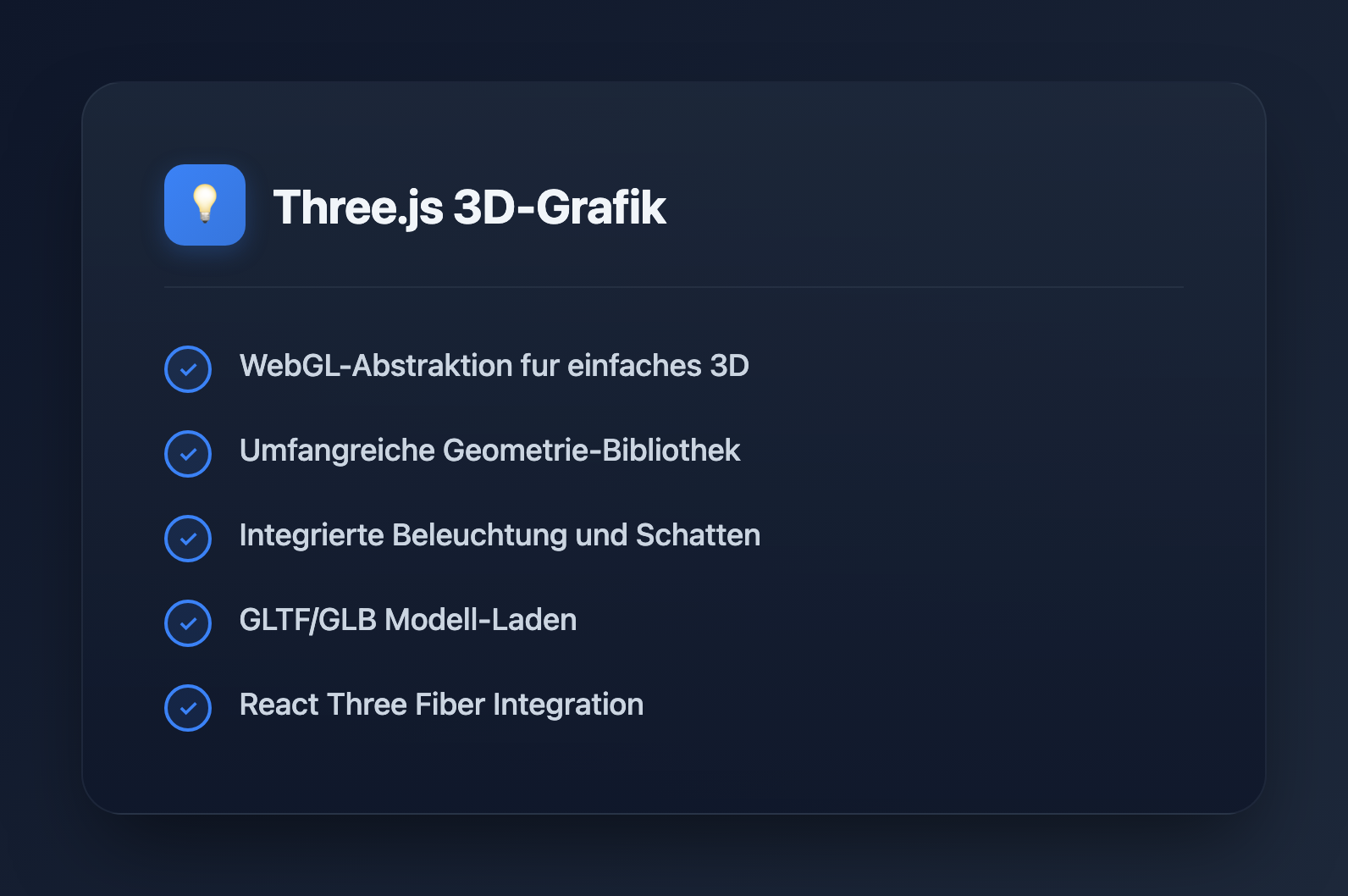
Three.js ist die beliebteste JavaScript-Bibliothek zur Erstellung von 3D-Grafiken im Browser. Ob Sie Produktkonfiguratoren, Datenvisualisierungen oder immersive Erlebnisse entwickeln, Three.js bietet die Werkzeuge, um Ihre Ideen zum Leben zu erwecken. Dieser Leitfaden behandelt alles von der grundlegenden Einrichtung bis hin zu fortgeschrittenen Techniken.
Was ist Three.js?
Three.js ist eine JavaScript-Bibliothek, die die Komplexitat von WebGL abstrahiert und 3D-Grafiken fur Webentwickler zuganglich macht. Hauptmerkmale:
- WebGL-Abstraktion: Schreiben Sie High-Level-Code anstelle von rohen Shadern
- Reichhaltiges Okosystem: Loader, Steuerungen, Nachbearbeitungseffekte
- Plattformubergreifend: Funktioniert auf Desktop, Mobilgeraten und VR-Geraten
- Aktive Community: Umfangreiche Beispiele und Dokumentation
- Leistung: GPU-beschleunigtes Rendering
Erste Schritte
Installation
# npm
npm install three

# yarn
yarn add three

# Or use CDN
# https://unpkg.com/three@latest/build/three.module.js
Grundlegende Szenen-Einrichtung
import * as THREE from 'three';

// Create scene
const scene = new THREE.Scene();
scene.background = new THREE.Color(0x1a1a2e);

// Create camera
const camera = new THREE.PerspectiveCamera(
  75,                                    // Field of view
  window.innerWidth / window.innerHeight, // Aspect ratio
  0.1,                                   // Near clipping plane
  1000                                   // Far clipping plane
);
camera.position.z = 5;

// Create renderer
const renderer = new THREE.WebGLRenderer({ antialias: true });
renderer.setSize(window.innerWidth, window.innerHeight);
renderer.setPixelRatio(Math.min(window.devicePixelRatio, 2));
document.body.appendChild(renderer.domElement);

// Animation loop
function animate() {
  requestAnimationFrame(animate);
  renderer.render(scene, camera);
}

animate();
Fenstergrosse anpassen
window.addEventListener('resize', () => {
  // Update camera
  camera.aspect = window.innerWidth / window.innerHeight;
  camera.updateProjectionMatrix();

  // Update renderer
  renderer.setSize(window.innerWidth, window.innerHeight);
  renderer.setPixelRatio(Math.min(window.devicePixelRatio, 2));
});
Kernkonzepte
Geometrien
// Built-in geometries
const boxGeometry = new THREE.BoxGeometry(1, 1, 1);
const sphereGeometry = new THREE.SphereGeometry(0.5, 32, 32);
const planeGeometry = new THREE.PlaneGeometry(10, 10);
const cylinderGeometry = new THREE.CylinderGeometry(0.5, 0.5, 1, 32);
const torusGeometry = new THREE.TorusGeometry(0.5, 0.2, 16, 100);

// Custom geometry from vertices
const customGeometry = new THREE.BufferGeometry();
const vertices = new Float32Array([
  -1, -1, 0,
   1, -1, 0,
   0,  1, 0,
]);
customGeometry.setAttribute('position', new THREE.BufferAttribute(vertices, 3));
Materialien
// Basic material (no lighting)
const basicMaterial = new THREE.MeshBasicMaterial({
  color: 0xff0000,
  wireframe: false,
});

// Standard material (PBR - responds to light)
const standardMaterial = new THREE.MeshStandardMaterial({
  color: 0x00ff00,
  metalness: 0.5,
  roughness: 0.5,
});

// Physical material (advanced PBR)
const physicalMaterial = new THREE.MeshPhysicalMaterial({
  color: 0x0000ff,
  metalness: 0.0,
  roughness: 0.1,
  transmission: 0.9,  // Glass-like transparency
  thickness: 0.5,
});

// Shader material (custom shaders)
const shaderMaterial = new THREE.ShaderMaterial({
  vertexShader: `
    varying vec2 vUv;
    void main() {
      vUv = uv;
      gl_Position = projectionMatrix * modelViewMatrix * vec4(position, 1.0);
    }
  `,
  fragmentShader: `
    varying vec2 vUv;
    void main() {
      gl_FragColor = vec4(vUv, 1.0, 1.0);
    }
  `,
});
Meshes
// Create mesh (geometry + material)
const cube = new THREE.Mesh(boxGeometry, standardMaterial);

// Position, rotation, scale
cube.position.set(0, 0, 0);
cube.rotation.set(0, Math.PI / 4, 0);
cube.scale.set(1, 1, 1);

// Add to scene
scene.add(cube);

// Animation
function animate() {
  requestAnimationFrame(animate);

  cube.rotation.x += 0.01;
  cube.rotation.y += 0.01;

  renderer.render(scene, camera);
}
Beleuchtung
// Ambient light (uniform illumination)
const ambientLight = new THREE.AmbientLight(0xffffff, 0.5);
scene.add(ambientLight);

// Directional light (sun-like)
const directionalLight = new THREE.DirectionalLight(0xffffff, 1);
directionalLight.position.set(5, 5, 5);
directionalLight.castShadow = true;
scene.add(directionalLight);

// Point light (bulb-like)
const pointLight = new THREE.PointLight(0xff0000, 1, 100);
pointLight.position.set(0, 2, 0);
scene.add(pointLight);

// Spot light (flashlight-like)
const spotLight = new THREE.SpotLight(0x00ff00, 1);
spotLight.position.set(0, 5, 0);
spotLight.angle = Math.PI / 6;
spotLight.penumbra = 0.5;
scene.add(spotLight);

// Hemisphere light (sky/ground)
const hemisphereLight = new THREE.HemisphereLight(0x87ceeb, 0x362312, 0.5);
scene.add(hemisphereLight);
Schatten
// Enable shadows on renderer
renderer.shadowMap.enabled = true;
renderer.shadowMap.type = THREE.PCFSoftShadowMap;

// Light casts shadows
directionalLight.castShadow = true;
directionalLight.shadow.mapSize.width = 2048;
directionalLight.shadow.mapSize.height = 2048;
directionalLight.shadow.camera.near = 0.5;
directionalLight.shadow.camera.far = 50;

// Mesh casts and receives shadows
cube.castShadow = true;
cube.receiveShadow = true;

// Floor receives shadows
const floor = new THREE.Mesh(
  new THREE.PlaneGeometry(20, 20),
  new THREE.MeshStandardMaterial({ color: 0x808080 })
);
floor.rotation.x = -Math.PI / 2;
floor.receiveShadow = true;
scene.add(floor);
Kamerasteuerung
import { OrbitControls } from 'three/addons/controls/OrbitControls.js';

const controls = new OrbitControls(camera, renderer.domElement);
controls.enableDamping = true;
controls.dampingFactor = 0.05;
controls.minDistance = 2;
controls.maxDistance = 20;
controls.maxPolarAngle = Math.PI / 2; // Prevent going below floor

// Update in animation loop
function animate() {
  requestAnimationFrame(animate);
  controls.update();
  renderer.render(scene, camera);
}
Laden von 3D-Modellen
GLTF/GLB Loader
import { GLTFLoader } from 'three/addons/loaders/GLTFLoader.js';
import { DRACOLoader } from 'three/addons/loaders/DRACOLoader.js';

// Setup Draco decoder for compressed models
const dracoLoader = new DRACOLoader();
dracoLoader.setDecoderPath('/draco/');

const gltfLoader = new GLTFLoader();
gltfLoader.setDRACOLoader(dracoLoader);

// Load model
gltfLoader.load(
  '/models/robot.glb',
  (gltf) => {
    const model = gltf.scene;
    model.scale.set(0.5, 0.5, 0.5);
    model.position.set(0, 0, 0);

    // Enable shadows for all meshes
    model.traverse((child) => {
      if (child.isMesh) {
        child.castShadow = true;
        child.receiveShadow = true;
      }
    });

    scene.add(model);

    // Access animations
    if (gltf.animations.length > 0) {
      const mixer = new THREE.AnimationMixer(model);
      const action = mixer.clipAction(gltf.animations[0]);
      action.play();
    }
  },
  (progress) => {
    console.log(`Loading: ${(progress.loaded / progress.total * 100).toFixed(0)}%`);
  },
  (error) => {
    console.error('Error loading model:', error);
  }
);
Textur-Laden
const textureLoader = new THREE.TextureLoader();

// Load single texture
const colorTexture = textureLoader.load('/textures/color.jpg');

// Load multiple textures for PBR material
const material = new THREE.MeshStandardMaterial({
  map: textureLoader.load('/textures/color.jpg'),
  normalMap: textureLoader.load('/textures/normal.jpg'),
  roughnessMap: textureLoader.load('/textures/roughness.jpg'),
  metalnessMap: textureLoader.load('/textures/metalness.jpg'),
  aoMap: textureLoader.load('/textures/ao.jpg'),
});

// Configure texture
colorTexture.wrapS = THREE.RepeatWrapping;
colorTexture.wrapT = THREE.RepeatWrapping;
colorTexture.repeat.set(2, 2);
colorTexture.colorSpace = THREE.SRGBColorSpace;
Animation
Grundlegende Animation
const clock = new THREE.Clock();

function animate() {
  requestAnimationFrame(animate);

  const elapsedTime = clock.getElapsedTime();

  // Smooth oscillation
  cube.position.y = Math.sin(elapsedTime) * 0.5;
  cube.rotation.y = elapsedTime * 0.5;

  renderer.render(scene, camera);
}

animate();
Animation Mixer (fur GLTF-Animationen)
let mixer: THREE.AnimationMixer;

gltfLoader.load('/models/character.glb', (gltf) => {
  const model = gltf.scene;
  scene.add(model);

  mixer = new THREE.AnimationMixer(model);

  // Play all animations
  gltf.animations.forEach((clip) => {
    mixer.clipAction(clip).play();
  });
});

// Update mixer in animation loop
function animate() {
  requestAnimationFrame(animate);

  const delta = clock.getDelta();
  if (mixer) mixer.update(delta);

  renderer.render(scene, camera);
}
Raycasting (Maus-Interaktion)
const raycaster = new THREE.Raycaster();
const mouse = new THREE.Vector2();

window.addEventListener('click', (event) => {
  // Convert mouse coordinates to normalized device coordinates
  mouse.x = (event.clientX / window.innerWidth) * 2 - 1;
  mouse.y = -(event.clientY / window.innerHeight) * 2 + 1;

  // Cast ray from camera through mouse position
  raycaster.setFromCamera(mouse, camera);

  // Check for intersections
  const intersects = raycaster.intersectObjects(scene.children, true);

  if (intersects.length > 0) {
    const clickedObject = intersects[0].object;
    console.log('Clicked:', clickedObject.name);

    // Change color on click
    if (clickedObject.material) {
      clickedObject.material.color.set(Math.random() * 0xffffff);
    }
  }
});

// Hover effect
window.addEventListener('mousemove', (event) => {
  mouse.x = (event.clientX / window.innerWidth) * 2 - 1;
  mouse.y = -(event.clientY / window.innerHeight) * 2 + 1;

  raycaster.setFromCamera(mouse, camera);
  const intersects = raycaster.intersectObjects(scene.children, true);

  document.body.style.cursor = intersects.length > 0 ? 'pointer' : 'default';
});
Nachbearbeitung
import { EffectComposer } from 'three/addons/postprocessing/EffectComposer.js';
import { RenderPass } from 'three/addons/postprocessing/RenderPass.js';
import { UnrealBloomPass } from 'three/addons/postprocessing/UnrealBloomPass.js';
import { SMAAPass } from 'three/addons/postprocessing/SMAAPass.js';

// Create composer
const composer = new EffectComposer(renderer);

// Add render pass
const renderPass = new RenderPass(scene, camera);
composer.addPass(renderPass);

// Add bloom effect
const bloomPass = new UnrealBloomPass(
  new THREE.Vector2(window.innerWidth, window.innerHeight),
  0.5,  // Strength
  0.4,  // Radius
  0.85  // Threshold
);
composer.addPass(bloomPass);

// Add anti-aliasing
const smaaPass = new SMAAPass(window.innerWidth, window.innerHeight);
composer.addPass(smaaPass);

// Use composer instead of renderer
function animate() {
  requestAnimationFrame(animate);
  composer.render();
}
Leistungsoptimierung
Geometrie-Instanziierung
// Instead of creating 1000 separate meshes
const geometry = new THREE.BoxGeometry(0.1, 0.1, 0.1);
const material = new THREE.MeshStandardMaterial({ color: 0x00ff00 });

// Use instanced mesh
const count = 1000;
const instancedMesh = new THREE.InstancedMesh(geometry, material, count);

const matrix = new THREE.Matrix4();
const position = new THREE.Vector3();
const rotation = new THREE.Euler();
const quaternion = new THREE.Quaternion();
const scale = new THREE.Vector3(1, 1, 1);

for (let i = 0; i < count; i++) {
  position.set(
    (Math.random() - 0.5) * 10,
    (Math.random() - 0.5) * 10,
    (Math.random() - 0.5) * 10
  );

  rotation.set(Math.random() * Math.PI, Math.random() * Math.PI, 0);
  quaternion.setFromEuler(rotation);

  matrix.compose(position, quaternion, scale);
  instancedMesh.setMatrixAt(i, matrix);
}

scene.add(instancedMesh);
Detailstufen (LOD)
const lod = new THREE.LOD();

// High detail (close)
const highDetail = new THREE.Mesh(
  new THREE.SphereGeometry(1, 64, 64),
  material
);
lod.addLevel(highDetail, 0);

// Medium detail
const mediumDetail = new THREE.Mesh(
  new THREE.SphereGeometry(1, 32, 32),
  material
);
lod.addLevel(mediumDetail, 10);

// Low detail (far)
const lowDetail = new THREE.Mesh(
  new THREE.SphereGeometry(1, 8, 8),
  material
);
lod.addLevel(lowDetail, 30);

scene.add(lod);
Ressourcen freigeben
// Clean up when removing objects
function disposeObject(object) {
  if (object.geometry) {
    object.geometry.dispose();
  }

  if (object.material) {
    if (Array.isArray(object.material)) {
      object.material.forEach(material => material.dispose());
    } else {
      object.material.dispose();
    }
  }

  if (object.texture) {
    object.texture.dispose();
  }
}

// Remove from scene and dispose
scene.remove(mesh);
disposeObject(mesh);
React-Integration (React Three Fiber)
import { Canvas, useFrame } from '@react-three/fiber';
import { OrbitControls, Environment } from '@react-three/drei';
import { useRef } from 'react';

function RotatingCube() {
  const meshRef = useRef<THREE.Mesh>(null);

  useFrame((state, delta) => {
    if (meshRef.current) {
      meshRef.current.rotation.x += delta;
      meshRef.current.rotation.y += delta * 0.5;
    }
  });

  return (
    <mesh ref={meshRef}>
      <boxGeometry args={[1, 1, 1]} />
      <meshStandardMaterial color="hotpink" />
    </mesh>
  );
}

function App() {
  return (
    <Canvas camera={{ position: [0, 0, 5] }}>
      <ambientLight intensity={0.5} />
      <directionalLight position={[5, 5, 5]} />
      <RotatingCube />
      <OrbitControls />
      <Environment preset="sunset" />
    </Canvas>
  );
}
Gangige Muster
Scene Manager Klasse
class SceneManager {
  private scene: THREE.Scene;
  private camera: THREE.PerspectiveCamera;
  private renderer: THREE.WebGLRenderer;
  private controls: OrbitControls;
  private clock: THREE.Clock;

  constructor(container: HTMLElement) {
    this.scene = new THREE.Scene();
    this.clock = new THREE.Clock();

    this.camera = new THREE.PerspectiveCamera(
      75,
      container.clientWidth / container.clientHeight,
      0.1,
      1000
    );
    this.camera.position.z = 5;

    this.renderer = new THREE.WebGLRenderer({ antialias: true });
    this.renderer.setSize(container.clientWidth, container.clientHeight);
    container.appendChild(this.renderer.domElement);

    this.controls = new OrbitControls(this.camera, this.renderer.domElement);
    this.controls.enableDamping = true;

    this.setupLights();
    this.animate();
  }

  private setupLights() {
    const ambient = new THREE.AmbientLight(0xffffff, 0.5);
    const directional = new THREE.DirectionalLight(0xffffff, 1);
    directional.position.set(5, 5, 5);
    this.scene.add(ambient, directional);
  }

  private animate = () => {
    requestAnimationFrame(this.animate);
    this.controls.update();
    this.renderer.render(this.scene, this.camera);
  };

  addObject(object: THREE.Object3D) {
    this.scene.add(object);
  }

  dispose() {
    this.renderer.dispose();
  }
}
Best Practices
- Geometrien und Materialien wiederverwenden: Erstellen Sie keine Duplikate
- BufferGeometry verwenden: Effizienter als die veraltete Geometry
- Draw Calls begrenzen: Geometrien wenn moglich zusammenfuhren
- Texturen optimieren: Verwenden Sie Zweierpotenzen fur Dimensionen, komprimieren Sie wenn moglich
- Instanziierung verwenden: Fur viele identische Objekte
- Ordnungsgemas freigeben: Ressourcen beim Entfernen von Objekten bereinigen
- Leistung analysieren: Verwenden Sie Chrome DevTools und Three.js Stats
Nutzliche Ressourcen
- Three.js Dokumentation: threejs.org/docs
- Three.js Beispiele: threejs.org/examples
- React Three Fiber: docs.pmnd.rs/react-three-fiber
- Drei (R3F-Helfer): github.com/pmndrs/drei
- Sketchfab: Kostenlose 3D-Modelle
Fazit
Three.js eroffnet Webentwicklern die Welt der 3D-Grafik. Beginnen Sie mit einfachen Szenen und fugen Sie schrittweise Komplexitat hinzu. Die umfangreiche Dokumentation und die vielen Beispiele der Bibliothek machen sie zuganglich, wahrend ihre Flexibilitat anspruchsvolle Anwendungen ermoglicht. Ob Sie Spiele, Visualisierungen oder immersive Erlebnisse entwickeln, Three.js bietet die Grundlage fur kreative 3D-Webentwicklung.